

Choosing a website platform can be difficult when there are so many options, each offering different features, design tools and pricing. Picking one simply because it is popular or inexpensive may lead to problems as your business grows. The right platform should support your business goals, make it easy for customers to find the information they need and allow you to manage your website without unnecessary difficulty.
Best website platform for small business depends on your services, budget, technical skills and future plans. A local service business may need clear service pages and enquiry forms, while an online store needs product management and secure payment options. By comparing platforms such as WordPress, Wix, Squarespace and Shopify, you can understand their differences and choose an option that fits your current needs without limiting your business as it develops.
What Should You Consider Before Choosing a Website Platform?
Before choosing a website platform, identify what your business needs from its website. A clear understanding of your requirements will help you compare options and avoid paying for features you do not need.
Consider these four factors before making your decision:
1. What Do You Need Your Website to Do?
Decide whether your website will explain your services, publish blog posts, collect customer enquiries or sell products online. You may also need features such as booking forms, appointment scheduling or online payments.
2. Who Will Manage the Website?
Think about who will update pages, add content and manage everyday changes. If you plan to handle these tasks yourself, choose a platform that feels comfortable to use. If a web professional will manage it, you may have more options.
3. What Is Your Budget?
Look beyond the initial setup cost. Consider domain registration, hosting, subscriptions, premium themes, plugins and ongoing maintenance. These expenses can vary between platforms.
4. Will Your Website Need to Grow?
Your website may need new service pages, additional integrations, a blog or online shopping features as your business develops. Choose a platform that can support these plans without requiring an unnecessary rebuild.
Once you understand these requirements, you can compare website platforms based on what matters most to your business.
Which Website Platforms Are Worth Considering?
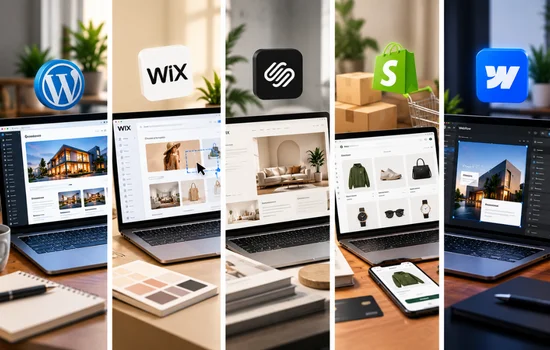
Different website platforms suit different business needs. Some offer greater flexibility, while others focus on easy website building, design or online selling. Understanding what each platform offers will help you narrow down your options.
WordPress: For Flexible Business Websites
WordPress.org is a self-hosted platform that gives you control over your website’s design, content and functionality. Its themes and plugins allow you to build a website that suits your business rather than being limited to a fixed set of features.
WordPress may suit businesses that need:
- Dedicated service pages and contact forms
- Blog to publish useful content and attract search traffic
- Additional features through plugins and integrations
- More control over website design and future development
What to consider: You or your service provider will need to manage hosting, updates, security, backups and ongoing maintenance.
Wix: For Owners Who Want to Build Their Own Site
Wix is designed for people who want to create and update a website without coding. Its visual editor, templates and built-in tools make it possible to arrange page layouts and publish content through one platform.
Wix may suit businesses that want to:
- Build a website using a visual editor
- Start with a ready-made design
- Update text, images and pages themselves
- Manage website building and hosting in one place
What to consider: Check whether Wix supports your future requirements and understand the options for moving your website elsewhere before committing.
Squarespace: For Design-Led Websites
Squarespace focuses on professionally designed templates and a managed website experience. It can be a good fit for businesses that want their work, services or portfolio to be presented in a polished, consistent style.
Squarespace may suit:
- Photographers, designers and creative professionals
- Consultants showcasing their work
- Small businesses with straightforward service websites
- Businesses that want to publish content and receive enquiries
What to consider: If you need specialised features or complex workflows, check whether the available tools and integrations can meet your requirements.
Shopify: For Businesses That Sell Online
Shopify is built around ecommerce, giving businesses tools to manage their online stores and sales. It is particularly relevant when selling products is a central part of the business.
Shopify helps businesses manage:
- Product listings and categories
- Stock levels and inventory
- Online checkout and orders
- Store features through apps and integrations
What to consider: Review subscription and app costs. If your business mainly provides services and collects enquiries, you may not need a dedicated ecommerce platform.
Webflow: For Greater Visual Design Control
Webflow gives users detailed control over page layouts and visual design, making it worth considering for brands that want a distinctive website.
Webflow may suit businesses that need:
- Greater control over page structure and styling
- Custom-looking layouts
- A design-focused website experience
What to consider: Make sure your team has the time and skills to learn the platform and manage the website over time.
Compare your options carefully to choose a platform that supports your current requirements and allows your business to grow over time.
How Do These Website Platforms Compare?
Each website platform offers a different balance of flexibility, ease of use and design control. Use the table below to compare the options and identify which one may suit your business needs.
| Platform | Best suited to | Ease of management | Main consideration |
| WordPress.org | Flexible business websites and content | Depends on setup and support | Hosting, updates and maintenance |
| Wix | DIY business websites | Generally straightforward | Flexibility if you change platforms |
| Squarespace | Design-led websites | Managed platform | Customisation requirements |
| Shopify | Online stores | Managed ecommerce tools | Subscription and store-related costs |
| Webflow | Design-focused websites | Requires learning the platform | Design and technical skills |
Choose a platform based on your website’s needs, budget and maintenance requirements. The right option should support your business goals and future growth.
How Much Should You Budget for a Website Platform?

The cost of a website depends on the platform you choose, the features you need and how much work you plan to manage yourself. Before committing, consider these common expenses:
- Platform or hosting fees: Monthly or annual subscription costs, or hosting for a self-hosted website.
- Domain name: Registration and renewal fees for your website address.
- Themes, plugins and apps: Extra costs for premium designs, integrations or specific features.
- Design and maintenance: Professional setup, development, updates, security and ongoing support.
- Payment processing: Transaction fees if your website accepts online payments.
Compare what each plan includes and estimate both the initial setup cost and ongoing expenses before choosing.
Which Platform Fits Your Business Type?
The right website platform depends on how your business operates and what customers need from your website. Consider these common business situations before making your choice.
- Local service business: Look for clear service pages, local business information, contact forms and simple content updates.
- Consultant or creative professional: Prioritise portfolio layouts, useful content publishing tools and easy ways for potential clients to enquire.
- Growing content-focused business: Choose a platform that supports regular publishing, content organisation and integrations as your website expands.
- Online retailer: Focus on product listings, inventory management, shipping options and a reliable checkout process.
- Business with specialised requirements: Check whether the platform supports your required integrations, booking systems or custom workflows.
Match these needs with each platform’s capabilities to find an option that suits your business operations and future plans.
When Should You Get Professional Help Choosing a Platform?
Choosing a website platform can be challenging when your business has specific requirements, needs custom features or plans to expand in the future. You may also need guidance if you are unsure how to organise your pages or make the website easy for customers to use.
A web designer can assess your business goals, recommend a suitable platform and plan a website structure that supports your needs. Explore our web design services to get professional guidance for your business website.
Choose a Platform That Fits Your Business
The best website platform for a small business is one that meets your needs, fits your budget and supports your plans for growth. Before making a decision, compare the features, ongoing costs and maintenance requirements to find an option that works for your business.
If you are unsure which platform to choose, Revolution Hub can help you assess your requirements and plan the right website for your goals. Get in touch to discuss your project and take the next step towards building your business website.